pi
MoonBit agent SDK and pim coding agent CLI
Author
Version
0.1.0
License
Apache-2.0
Repository
Last updated
13 hours ago
Downloads
1
Dependencies
- moonbitlang/async0.22.2
- moonbitlang/x0.5.5
- moonbitlang/jsonl0.2.1
#pi.mbt

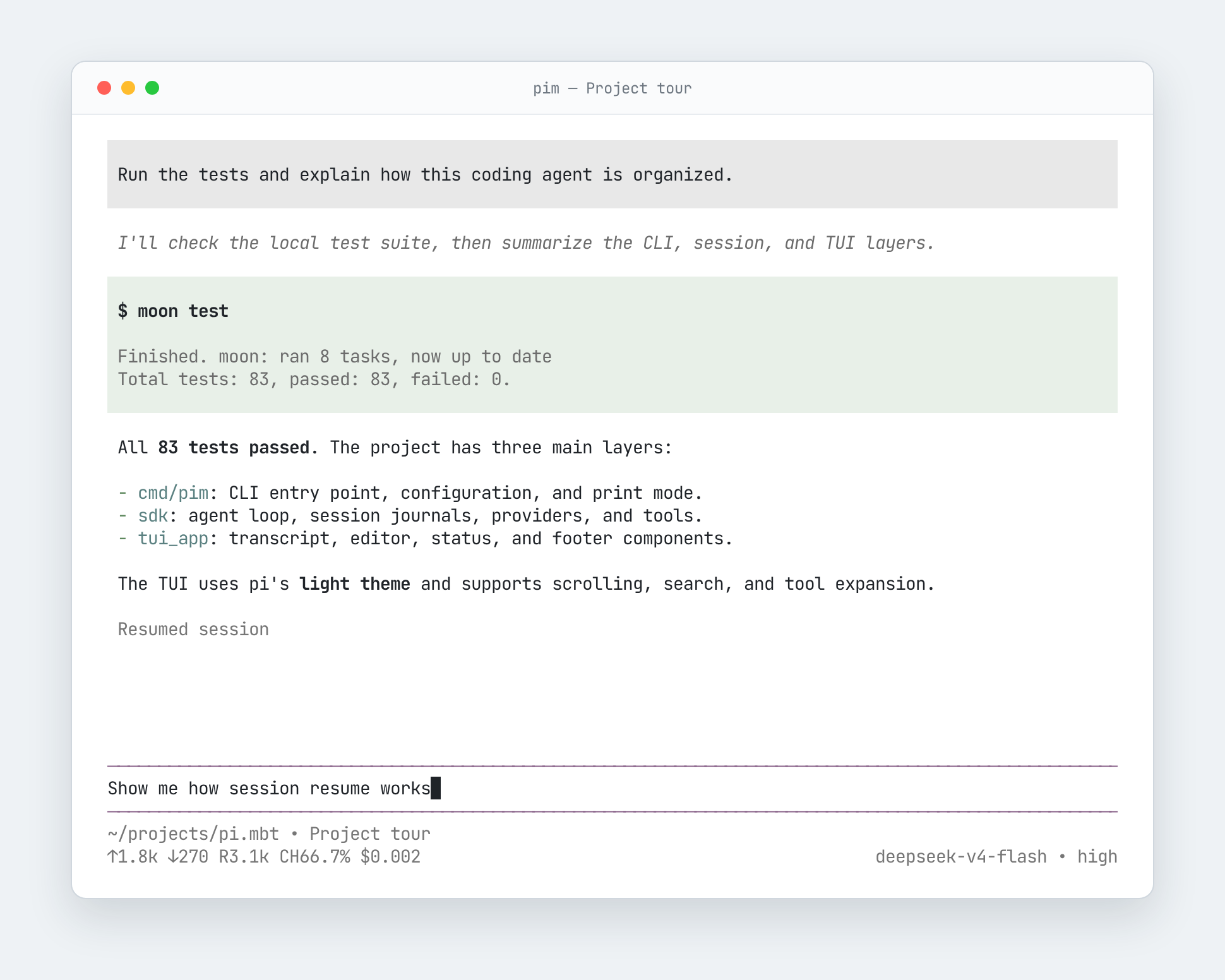
用 MoonBit 重新实现的 pi coding agent 子集。
#Install
just package          # 构建 npm dist
npm install -g . # symlink 到全局#Usage
在终端中直接运行 pim 进入全屏 TUI:
pimCtrl+O 展开工具输出,Ctrl+T 切换思考显示,Esc 中断当前回合。
-p/--print 单轮、非交互模式:
DEEPSEEK_API_KEY=sk-xxx
pim -p "What's the capital of France? Respond with only the city name."
# Paris
加上 --mode json 可以输出 JSONL 事件流:
pim -p "What's the capital of France? Respond with only the city name." --mode json
# {"type":"agent_start"}
# {"type":"turn_start"}
# {"type":"message_start","message":{"role":"user","content":[{"type":"text","text":"What's the capital of France? Respond with only the city name."}],"timestamp":1786903823973}}
# ...
# {"type":"agent_end"}#Configuration
| 变量 | 作用 |
|---|---|
| PIM_CONFIG_DIR | 配置目录,默认 ~/.pim |
| PIM_SESSION_DIR | 会话 JSONL 目录(等价于 --session-dir) |
会话默认落盘:不设 PIM_SESSION_DIR/--session-dir 时,提示词与工具输出会
持久化到 ~/.pim/sessions/ 下(同时创建会话目录)。不想落盘(如敏感内容、
一次性调试)请传 --no-session。多轮会话用 --continue(接着最近一次)或
--resume <前缀>。
#认证配置
认证优先使用文件配置 ~/.pim/auth.json:
{
  "deepseek": { "type": "api_key", "key": "sk-xxx" }
}
也支持环境变量:
DEEPSEEK_API_KEY=sk-xxx pim -p "hi"Install
Download zipMoonBit agent SDK and pim coding agent CLI

 Apache-2.0
 Updated 13 hours ago
 1 downloads
Dependencies
- moonbitlang/async0.22.2
- moonbitlang/x0.5.5
- moonbitlang/jsonl0.2.1