 README
- UArtist
- UAxes
- UAxis
- UBounds
- UCategoryAxis
- UContourSet
- UDataError
- UDrawing
- UFigure
- UFormatter
- UGridSpec
- UHistogram
- UHitPoint
- ULayoutError
- ULegendPosition
- ULimits
- ULine2D
- ULineData
- ULineStroke
- UMaskError
- UMaskedArray
- UMaskedMatrix
- UPoint
- URect
- URgb
- URgba
- UScale
- USecondaryAxis
- USecondaryAxisAlignment
- USecondaryAxisLocation
- USeries
- UStreamplotSet
- UStyle
- USubFigure
- UViolinBandwidth
- UViolinSide
- UViolinStats
- Vasinh_scale
- Vaxis
- Vbounds
- Vbounds_from_points
- Vcategory
- Veng_formatter
- Vfigure
- Vfixed_formatter
- Vformat_str_formatter
- Vfunc_formatter
- Vgridspec
- Vindex_formatter
- Vlimits
- Vline_stroke
- Vlinear_scale
- Vlog_formatter
- Vlog_scale
- Vlogit_scale
- Vmasked_array
- Vmasked_matrix
- Vnull_formatter
- Vpercent_formatter
- Vplot_svg
- Vpoint
- Vrgb
- Vrgba
- Vscalar_formatter
- Vseries
- Vstr_method_formatter
- Vstyle
mathplotlib
A MoonBit plotting library with SVG output.
plotting
charts
svg
Author
Version
0.2.1
License
Apache-2.0
Repository
Last updated
3 hours ago
Downloads
5
#MoonPlot
A plotting library written in MoonBit.
Create figures, add charts and annotations, and export self-contained SVG
for reports, documentation, and applications.
MoonPlot focuses on useful plotting features that can grow incrementally.
Its API takes inspiration from Matplotlib, with typed MoonBit data and
an SVG rendering pipeline.
#Features
- Everyday charts: line, scatter, bar, histogram, pie, box, and violin plots.
- Scientific plots: error bars, filled regions, contours, triangulated meshes, vector fields, and stream plots.
- Images and color: scalar and RGB(A) images, heatmaps, color maps, normalization, masks, and colorbars.
- Figure composition: multiple axes, shared axes, nested grids, secondary axes, titles, labels, legends, tables, and annotations.
- Axes and data: numeric scales, explicit ticks and formatters, date/time coordinates, time zones, and categorical labels.
- Editable lines: data updates, visibility, color, alpha, line width, draw styles, dashes, and gap colors through Line2D handles.
- SVG output: render a figure to a string without a Python runtime.
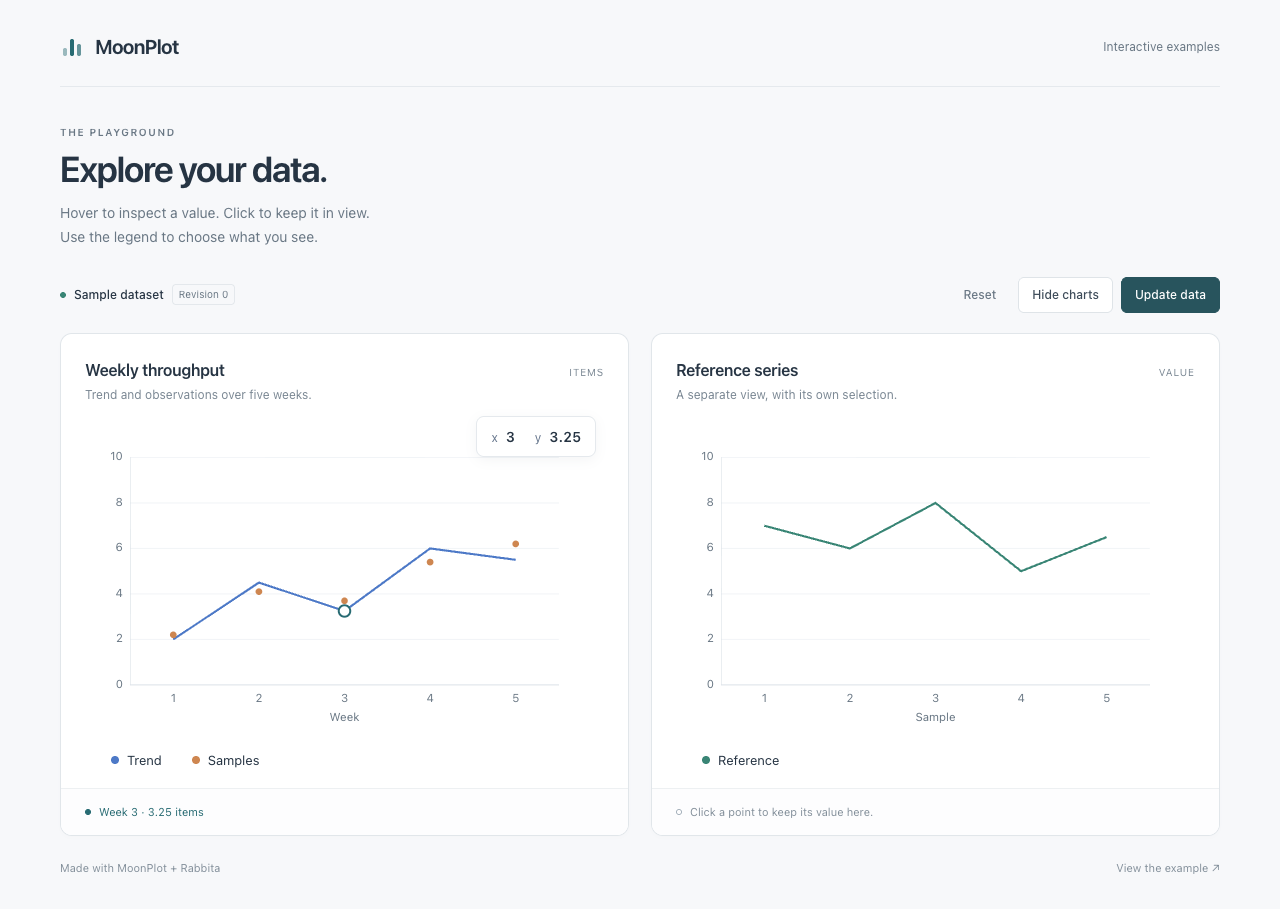
- Rabbita components: an optional JS adapter provides real SVG DOM nodes, point hover and selection, legend buttons, reactive data updates, and scoped SVG resources.
Support varies by chart and option. See the
usage guide for examples and the
current capabilities and
API behavior notes for detailed boundaries.
#Getting Started
MoonPlot uses one Mooncakes module, Lampese/mathplotlib@0.2.1. See installation and migration instructions.
From your application's module directory, add it with:
moon add Lampese/mathplotlib@0.2.1Import Lampese/mathplotlib for static plotting, and add
Lampese/mathplotlib/rabbita when composing browser components. Both packages
come from the same installation. The package alias @mathplotlib and plotting
method names stay the same. Installing this module resolves its declared
Rabbita dependencies too; the core plotting packages do not import UI types.
#Run the repository examples
Install the MoonBit toolchain.
The native example also requires a working C compiler.
git clone https://github.com/moonbit-community/moonplot.git
cd moonplot
moon run cmd/preview --target native > chart.svg
moon build rabbita/cmd/demo --target js
python3 -m http.server 8765 --bind 127.0.0.1
Open chart.svg in a browser or SVG viewer. Open
the interactive example for hover, selection,
legend toggles and data updates. Serve the repository root so the example can
load its built JavaScript; stop the server with Ctrl+C.
Moon resolves the declared dependencies when building. Run moon update if
your local registry index needs refreshing.
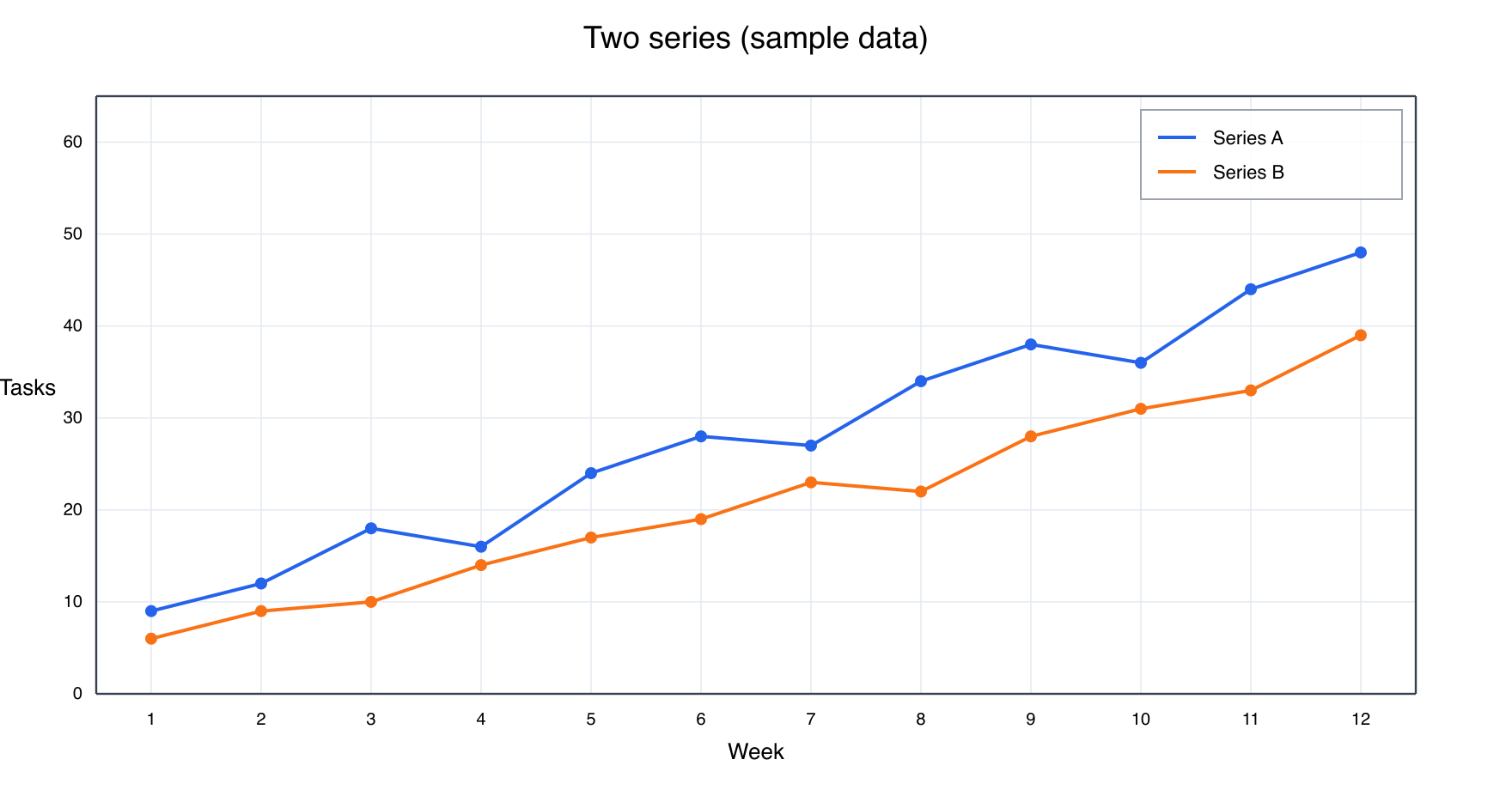
The checked-in PNG above is a preview of the SVG output. MoonPlot does not
currently provide standalone PNG export.
#Library Usage
The project is named MoonPlot and its module ID is Lampese/mathplotlib.
When migrating from the earlier source release, replace the old
mathplotlib/mathplotlib prefix with Lampese/mathplotlib. Existing
@mathplotlib calls remain valid; see the path migration notes.
A package using the library imports the root plotting API in moon.pkg:
///|
import {
  "Lampese/mathplotlib",
}
Create a figure, choose its axes, add data, and request SVG output.
This compact example uses explicit limits and ticks:
///|
fn main raise {
  let fig = @mathplotlib.figure(width=640, height=400)
  fig.set_title("A MoonPlot chart")
  fig.set_x_label("Sample")
  fig.set_y_label("Value")
  fig.set_x_limits(0.0, 4.0)
  fig.set_y_limits(0.0, 20.0)
  fig.set_x_ticks([0.0, 1.0, 2.0, 3.0, 4.0])
  fig.set_y_ticks([0.0, 5.0, 10.0, 15.0, 20.0])
  fig.set_x_tick_labels(["0", "1", "2", "3", "4"])
  fig.set_y_tick_labels(["0", "5", "10", "15", "20"])
  fig.plot(
    [0.0, 1.0, 2.0, 3.0, 4.0],
    [3.0, 7.0, 5.0, 13.0, 17.0],
    color="#2563eb",
    label="Measurements",
  )
  fig.legend(fig.legend_entries())
  println(fig.to_svg_checked())
}
Use the object API for individual figures and axes, or the
pyplot package for a stateful facade.
For mutable line data and appearance, plot_line returns a Line2D handle.
The complete two-series example is in cmd/preview.
The checked rendering APIs propagate data, tick, and layout errors so callers
can handle them. The first usable milestone records
the workflows checked for basic SVG output; more complex combinations continue
to evolve.
#Gallery and legend placement
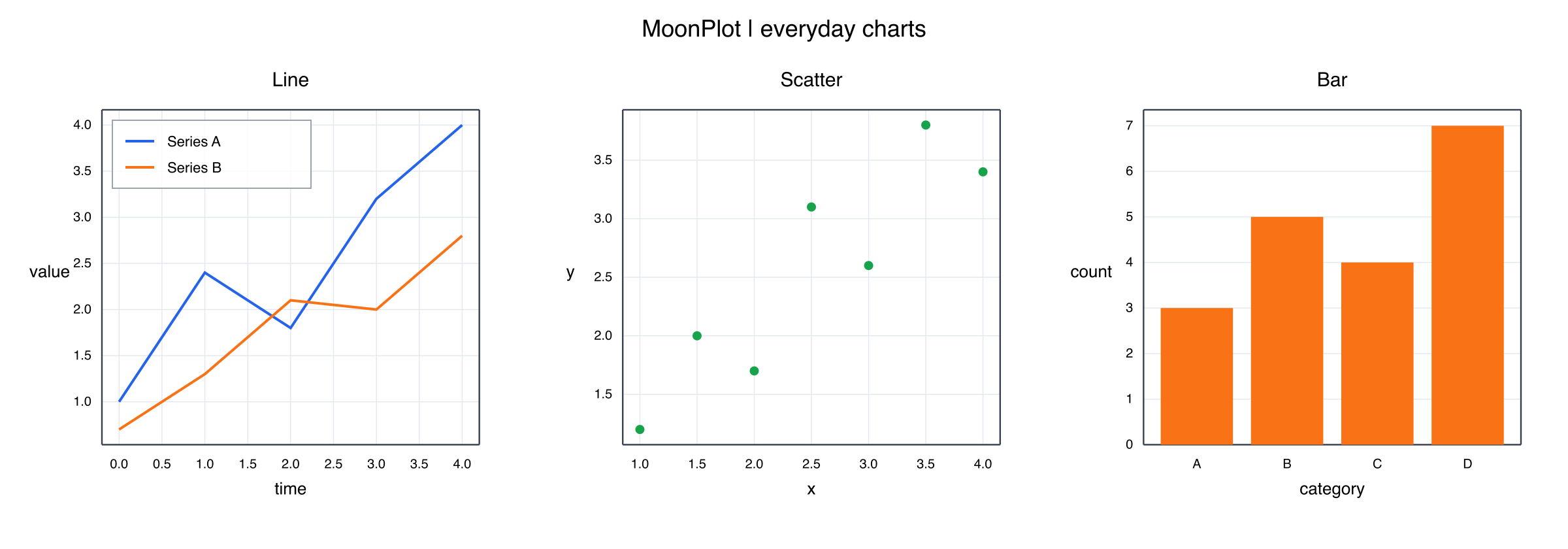
moon run cmd/gallery --target native > gallery.svgThis example combines line, scatter, and categorical bar charts with automatic
ranges and ticks. Set a legend corner with
axes.set_legend_position(@mathplotlib.LegendPosition::UpperLeft).
UpperRight (the default), LowerLeft, and LowerRight are also available.
#Interactive Rabbita components
Figure::to_drawing() prepares the SVG and data-point hit locations together.
The rabbita package turns that snapshot into composable
Rabbita Html using public SVG node constructors. Add it to your application's
moon.pkg with an explicit alias:
///|
import {
  "Lampese/mathplotlib",
  "Lampese/mathplotlib/rabbita" @plot_dom,
  "moonbit-community/rabbita",
}
The application owns hover, selection, visibility and data state. The browser
package declares supported_targets = "js"; the core facade, Scene, Drawing
and static renderer keep their platform-independent interfaces. No separate
adapter module or local workspace is needed. See the component guide
for a complete view and the DOM notes for tested behavior.
#Current scope
- SVG is the static output backend; Rabbita DOM is an optional browser component. Standalone PNG/PDF export and a desktop GUI backend are not available.
- Interactive picking currently covers line/scatter data-point anchors. Touch gestures, zoom/pan, and keyboard navigation remain future work.
- 3D plotting, animation, and full mathtext/TeX and font layout are not available.
- The library is not a drop-in Matplotlib implementation. Python's dynamic argument forms and every chart parameter are not reproduced.
- SVG text uses the viewer's fonts; full text measurement and typography remain limited.
#Documentation
- Documentation index
- Detailed usage and API examples
- Current capabilities and milestone acceptance
- Installation, module paths and release status
- M2 interactive plotting and source-release history
- Four capability goals
- Rabbita interactive DOM and acceptance
- Dependencies and integration notes
- Third-party licenses and attribution
The root package provides the common plotting facade. Implementation packages
include scene for figure and artist state, ticker for axes and date handling,
transforms for geometry, and backend/svg for rendering.
The facade is kept in api.mbt, consumer tests in tests/api,
and isolated configuration tests in tests/integration.
See the source organization guide for package boundaries,
generated resources, and reference fixtures.
#Development
From the repository root:
python3 tools/check_structure.py
moon check --target all
moon test --target all
moon info
moon fmt
Tests include unit tests, public API examples, SVG checks, and source-reference
fixtures. Guides under testdata/ describe their supported domains
and reproduction steps. Python is used by some fixture generators, not by the
plotting runtime.
When changing public APIs, review the generated pkg.generated.mbti diffs.
Keep examples and capability notes aligned with the behavior that is tested.
#License
Licensed under the Apache License 2.0.
Some algorithms and behavior are adapted from the pinned Matplotlib v3.11.2
source and retain its license.
Other dependencies and bundled data retain their own licenses; see
Third-Party Notices.
Artist
The object-style figure API is owned by the scene package.
Axes
The object-style figure API is owned by the scene package.
Axis
Axis configuration is exposed as a separate value object.
Bounds
Public core values are re-exported from the facade package.
CategoryAxis
Ordered string-to-position category conversion.
ContourSet
The object-style figure API is owned by the scene package.
DataError
Public core values are re-exported from the facade package.
Drawing
Prepared output and data-point locations for interactive adapters.
Figure
The object-style figure API is owned by the scene package.
Formatter
Numeric tick formatters and the main Matplotlib-style formatter helpers.
GridSpec
Regular subplot grid layout values.
Histogram
The object-style figure API is owned by the scene package.
HitPoint
Prepared output and data-point locations for interactive adapters.
LayoutError
Regular subplot grid layout values.
LegendPosition
Legend placement is a public value shared with render backends.
Limits
Public core values are re-exported from the facade package.
Line2D
The object-style figure API is owned by the scene package.
LineData
The object-style figure API is owned by the scene package.
LineStroke
Public core values are re-exported from the facade package.
MaskError
Public core values are re-exported from the facade package.
MaskedArray
Public core values are re-exported from the facade package.
MaskedMatrix
Public core values are re-exported from the facade package.
Point
Public core values are re-exported from the facade package.
Rect
Regular subplot grid layout values.
Rgb
Typed RGB and RGBA values used by colored image inputs.
Rgba
Typed RGB and RGBA values used by colored image inputs.
Scale
Linear, logarithmic, Asinh and Logit coordinate scales.
SecondaryAxis
The object-style figure API is owned by the scene package.
SecondaryAxisAlignment
The object-style figure API is owned by the scene package.
SecondaryAxisLocation
The object-style figure API is owned by the scene package.
Series
Public core values are re-exported from the facade package.
StreamplotSet
The object-style figure API is owned by the scene package.
Style
Public core values are re-exported from the facade package.
SubFigure
The object-style figure API is owned by the scene package.
ViolinBandwidth
The object-style figure API is owned by the scene package.
ViolinSide
The object-style figure API is owned by the scene package.
ViolinStats
The object-style figure API is owned by the scene package.
asinh_scale
Construct inverse-hyperbolic-sine coordinate geometry.
Source width validation rejects nonpositive values; NaN and positive
infinity remain representable. Tick defaults require an explicit locator.
axis
Construct an axis with fresh linear locator and formatter defaults.
bounds
Construct explicit data limits.
bounds_from_points
Compute limits from finite points only. Missing points are ignored.
eng_formatter
Construct an engineering-notation formatter.
figure
Create an empty figure with one default axes panel.
fixed_formatter
Construct a formatter that returns labels by tick position.
format_str_formatter
Construct a printf-style numeric formatter.
The supported conversions are %g, %f, %e, %d, and %%. A
precision such as %.2f is accepted for %f and %e; unsupported
conversions are preserved literally so a label is never silently lost.
func_formatter
Construct a formatter backed by a user function.
gridspec
fn gridspec(rows : Int, columns : Int, hspace? : Double, vspace? : Double, width_ratios? : Array[Double], height_ratios? : Array[Double]) -> GridSpec raise LayoutErrorConstruct a regular grid. Spacing is measured as a fraction of the cell size.
hspace is horizontal and vspace vertical. Omitted values inherit the
figure's spacing during layout, falling back to 0.1 for standalone grids.
index_formatter
Construct a formatter that treats values as integer label indices.
limits
Construct axis limits without reordering or padding them.
line_stroke
Construct an effective stroke from an already canonical linestyle.
This low-level appearance carrier does not reconstruct Line setter history.
log_formatter
Construct a logarithmic formatter.
logit_scale
Construct base-ten probability geometry. Tick defaults require an explicit
locator; the clip mode does not change the strict valid-data domain.
masked_array
Construct a masked array. An omitted mask means that every value is
initially unmasked; an explicit mask must have the same length as values.
masked_matrix
Construct a rectangular masked matrix. An omitted mask leaves every cell
unmasked; an explicit mask must have the same rectangular shape as values.
null_formatter
Construct a formatter that suppresses all labels.
percent_formatter
Construct a percentage formatter. decimals=-1 selects precision from the
displayed tick range, matching Matplotlib's automatic percentage labels.
plot_svg
Convenience function for a line plot rendered as SVG.
rgb
Construct an opaque RGB value after validating all components.
rgba
Construct an RGBA value after validating all components.
scalar_formatter
Construct a scalar formatter with Matplotlib-like power limits.
series
Construct a series. The two input arrays must have the same length.
str_method_formatter
Construct a Python str.format-style numeric formatter.
style
fn style(color : String, width? : Double, radius? : Double, fill? : String, font_size? : Double, marker? : String, line_alpha? : Double?, line_stroke? : LineStroke, line_gapcolor? : String?) -> StyleConstruct a line or marker style.

 Apache-2.0
 Updated 3 hours ago
 5 downloads