 README
- UBox
- UColor
- UPath
- UPathSegment
- UPoint
- UTransform
- ::equalArea::equal
- ::not_equalArea::not_equal
- ::to_reprArea::to_repr
- ::equalBlender::equal
- ::not_equalBlender::not_equal
- ::to_reprBlender::to_repr
- ::equalDrawCmd::equal
- ::not_equalDrawCmd::not_equal
- ::to_reprDrawCmd::to_repr
- ::axial_gradientImage::axial_gradient
- ::blendImage::blend
- ::checkerboardImage::checkerboard
- ::circleImage::circle
- ::composeImage::compose
- ::conic_gradientImage::conic_gradient
- ::const_colorImage::const_color
- ::cutImage::cut
- ::ellipseImage::ellipse
- ::emptyImage::empty
- ::evalImage::eval
- ::lineImage::line
- ::linear_gradientImage::linear_gradient
- ::of_fnImage::of_fn
- ::overImage::over
- ::polygonImage::polygon
- ::radial_gradientImage::radial_gradient
- ::rectangleImage::rectangle
- ::render_image_to_svgImage::render_image_to_svg
- ::rotateImage::rotate
- ::scaleImage::scale
- ::textImage::text
- ::tileImage::tile
- ::to_draw_listImage::to_draw_list
- ::to_jsImage::to_js
- ::to_pdfImage::to_pdf
- ::to_svgImage::to_svg
- ::transformImage::transform
- ::translate_imgImage::translate_img
- ::with_opacityImage::with_opacity
- ::equalPaint::equal
- ::not_equalPaint::not_equal
- ::to_reprPaint::to_repr
- TPrimitive
- ::equalStop::equal
- ::not_equalStop::not_equal
- ::to_reprStop::to_repr
- Vcut
vg
Declarative 2D vector graphics library for MoonBit
graphics
vector
2d
svg
canvas
Author
Version
0.4.0
License
ISC
Repository
Last updated
2 days ago
Downloads
2K
#Vg — Declarative 2D vector graphics for MoonBit
Vg is a declarative 2D vector graphics library ported from OCaml to MoonBit. Images are values that denote functions mapping points of the cartesian plane to colors and combinators are provided to define and compose them.
This is a MoonBit port of the original Vg library by Daniel Bünzli.
#Features
- ✅ Core Types: Point, Color, Transform, Path, Image
- ✅ Color Utilities: Predefined colors, blending, RGBA, HSV support
- ✅ Point Operations: Distance, dot product, normalization, rotation
- ✅ Transformations: Translation, scaling, rotation, skewing, composition
- ✅ Basic Shapes: Circle, rectangle, line, ellipse, polygon
- ✅ Image Combinators: Shapes, gradients, composition, cutting, opacity
- ✅ Path Construction: Move, line, curve, close operations with OO-style API
- ✅ Advanced Paths: Circle, ellipse, rectangle path generation with method chaining
- ✅ Fluent API: Object-oriented method calls with Path::empty().move_to().line_to()
- ✅ Multiple Renderers: SVG, PDF, and Canvas rendering backends
- ✅ Gradients: Linear, radial, axial, and conic gradients with color interpolation
- ✅ Modern Syntax: String interpolation and contemporary MoonBit idioms
- ✅ 100% Feature Parity: Complete port of original OCaml Vg library functionality
- ✅ Comprehensive Tests: Extensive test suite for all components
- ✅ WebAssembly Target: Compiles to WebAssembly via MoonBit
#Installation
# Clone the repository
git clone https://github.com/moonbit-community/vg.git
cd vg

# Build and check the library
moon check
moon build

# Run tests to verify installation
moon test

# Run the main demo
moon run src/main

# Generate documentation
moon info#Usage
///|
test "basic_shapes" (it : @test.Test) {
  // Create basic shapes
  let red_circle = @vg.Image::circle(@color.red(), 50.0)
  let blue_ellipse = @vg.Image::ellipse(@color.blue(), 60.0, 40.0)
  let _triangle = @vg.Image::polygon(@color.green(), [
    Point(0.0, -30.0),
    Point(-30.0, 30.0),
    Point(30.0, 30.0),
  ])

  // Apply transformations and effects
  let semi_transparent = red_circle.with_opacity(0.7)
  let translated_ellipse = blue_ellipse.translate_img(50.0, 0.0)

  // Compose images
  let _composed = semi_transparent.compose(translated_ellipse)

  // Create paths with object-oriented API
  let custom_path = @vg.Path::empty()
    .move_to(Point(10.0, 10.0))
    .line_to(Point(90.0, 10.0))
    .curve_to(Point(110.0, 10.0), Point(110.0, 30.0), Point(90.0, 30.0))
    .close_path()

  // Create SVG output with advanced shapes
  let svg_doc = @svg.new_svg(200.0, 200.0)
    .render_circle(Point(100.0, 100.0), 50.0, @color.red())
    .render_ellipse(Point(150.0, 100.0), 30.0, 20.0, @color.blue())
    .render_path(custom_path, @color.green())
  it.write(svg_doc.to_string())
  it.snapshot(filename="basic_shapes.svg")
}
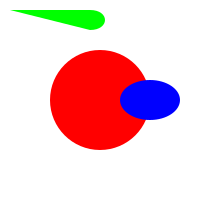
The output is rendered like this
#Gallery
Each image below is a declarative Image value rendered to compact,
resolution-independent SVG — native gradients, real transforms, and recursion
that the old per-pixel-sampling model could not express at any reasonable size.
#Glossy spheres — native radial gradients (~1.7 KB)
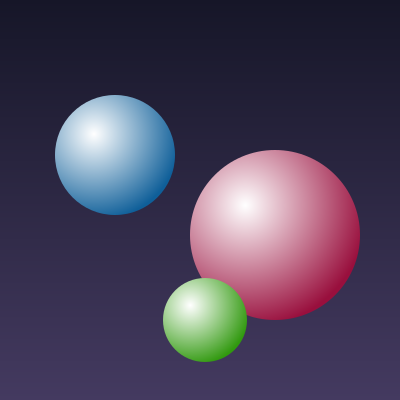
Each sphere is a circle cut from a radial-gradient colour field whose bright
centre is offset up-left, giving a lit-from-above look.
///|
test "demo: glossy spheres" (it : @test.Test) {
  fn sphere(cx : Double, cy : Double, r : Double, hue : Double) -> @vg.Image {
    @vg.Image::radial_gradient(
      @color.white(),
      @color.hsv(hue, 0.9, 0.6),
      Point(cx - r * 0.35, cy - r * 0.35),
      r * 1.45,
    ).cut(@vg.Path::circle(Point(cx, cy), r))
  }

  let bg = @vg.Image::linear_gradient(
    @color.rgb(0.09, 0.09, 0.16),
    @color.rgb(0.27, 0.23, 0.38),
    Point(0.0, -200.0),
    Point(0.0, 200.0),
  )
  let svg = bg
    .compose(sphere(-85.0, -45.0, 60.0, 205.0))
    .compose(sphere(75.0, 35.0, 85.0, 340.0))
    .compose(sphere(5.0, 120.0, 42.0, 105.0))
    .to_svg(400.0, 400.0)
  it.write(svg)
  it.snapshot(filename="demo_spheres.svg")
}#Gradient mandala — rotated transforms (~12 KB)
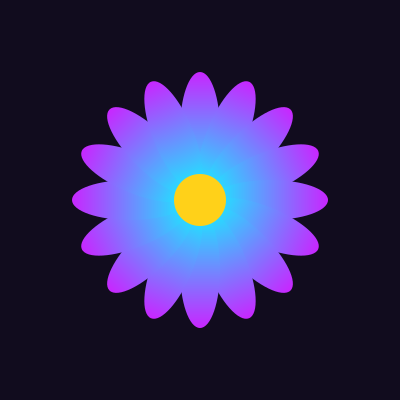
Sixteen gradient-filled petals: the same Image, each rotated around the
centre by a transform.
///|
test "demo: gradient mandala" (it : @test.Test) {
  let petal = @vg.Image::linear_gradient(
    @color.hsv(285.0, 0.85, 1.0),
    @color.hsv(185.0, 0.9, 1.0),
    Point(0.0, -128.0),
    Point(0.0, -12.0),
  ).cut(@vg.Path::ellipse(Point(0.0, -70.0), 20.0, 58.0))
  let two_pi = 2.0 * 3.14159265358979
  let mut art = @vg.Image::const_color(@color.rgb(0.07, 0.05, 0.12))
  for i in 0..<16 {
    art = art.compose(petal.rotate(i.to_double() * two_pi / 16.0))
  }
  art = art.compose(@vg.Image::circle(@color.hsv(48.0, 0.9, 1.0), 26.0))
  it.write(art.to_svg(400.0, 400.0))
  it.snapshot(filename="demo_mandala.svg")
}#Fractal tree — recursion + strokes
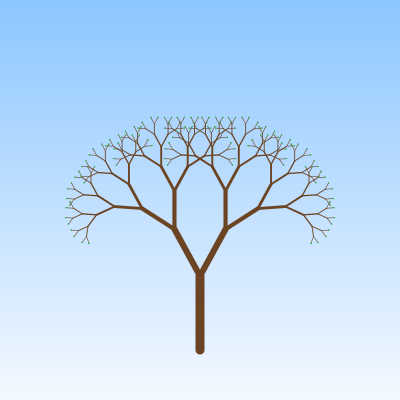
A tree built by recursively composing two transformed copies of itself; every
branch is a real vector stroke, every leaf a small circle.
///|
test "demo: fractal tree" (it : @test.Test) {
  fn branch(depth : Int, len : Double, width : Double) -> @vg.Image {
    if depth <= 0 {
      @vg.Image::circle(@color.rgb(0.2, 0.7, 0.3), width * 1.6) // a leaf
    } else {
      let trunk = @vg.Image::line(
        @color.rgb(0.42, 0.27, 0.14),
        Point(0.0, 0.0),
        Point(0.0, -len),
        width,
      )
      let child = branch(depth - 1, len * 0.72, width * 0.68)
      trunk
      .compose(child.rotate(-0.5).translate_img(0.0, -len))
      .compose(child.rotate(0.5).translate_img(0.0, -len))
    }
  }

  let sky = @vg.Image::linear_gradient(
    @color.rgb(0.55, 0.78, 1.0),
    @color.rgb(0.96, 0.98, 1.0),
    Point(0.0, -200.0),
    Point(0.0, 200.0),
  )
  let tree = branch(8, 74.0, 9.0).translate_img(0.0, 150.0)
  it.write(sky.compose(tree).to_svg(400.0, 400.0))
  it.snapshot(filename="demo_tree.svg")
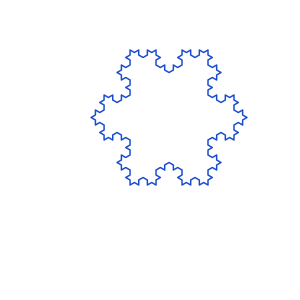
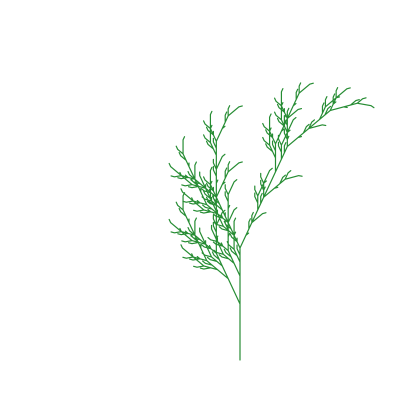
}#L-systems via the turtle package
The optional vg/turtle package turns
L-systems into vector line art: an
LSystem rewrites an axiom by per-symbol rules, and render walks the result
as turtle commands into one stroked @vg.Image.
| Koch snowflake | Branching plant |
|---|---|
 |  |
///|
let plant = @turtle.LSystem::new("X", [('X', "F+[[X]-X]-F[-FX]+X"), ('F', "FF")])

///|
let img = @turtle.render(plant.expand(5), angle=0.4363, step=3.5)
See turtle/README.md for the full command set and tested demos.
#Architecture
An Image is a declarative tree (faithful to OCaml Vg) — not a pixel function:
///|
enum Image {
  Primitive(Primitive) // Const | Axial | Radial | Raster (colour fields)
  Cut(Area, Path, Image) // clip to a path: non-zero / even-odd / Outline(stroke)
  Blend(Blender, Double?, Image, Image)
  Tr(Transform, Image)
  Text(String, Double, Color)
}- eval (eval.mbt) is the denotation — the colour at a point (point-in-path, gradient sampling, source-over, stroke distance). It is the raster ground truth and the fallback for procedural Raster images.
- to_draw_list (draw.mbt) folds the tree once into a flat, transform-baked DrawCmd IR.
- Each backend interprets that one IR into compact native vector output: Image::to_svg (svg_fold.mbt), to_pdf (pdf_fold.mbt), and to_js for canvas (canvas_fold.mbt). A circle is a single <circle>/<path>, not thousands of sampled rects.
Supporting packages: geometry (Point, Path, Transform, Box), color, and the svg/pdf/canvas backend document builders.
#Declarative vector rendering
Build an Image, then render it to compact native vector output — one element per shape, resolution-independent:
///|
test "vector rendering" {
  let scene = @vg.Image::rectangle(@color.gray(0.95), 200.0, 120.0)
    .compose(@vg.Image::circle(@color.red(), 40.0).translate_img(-50.0, 0.0))
    .compose(@vg.Image::circle(@color.blue(), 40.0).translate_img(50.0, 0.0))
  let svg = scene.to_svg(200.0, 120.0)
  // each shape is a single <path> element — no grid of sampled <rect>s
  inspect(svg.contains("<path"), content="true")
  inspect(svg.contains("<rect"), content="false")
}#Examples
#Basic Shapes
///|
test "basic shapes examples" {
  // Create a red circle
  let circle_img = @vg.Image::circle(@color.red(), 25.0)

  // Create a blue rectangle
  let rect_img = @vg.Image::rectangle(@color.blue(), 50.0, 30.0)

  // Create an ellipse
  let ellipse_img = @vg.Image::ellipse(@color.green(), 40.0, 20.0)

  // Create a polygon (triangle)
  let triangle = @vg.Image::polygon(@color.yellow(), [
    Point(0.0, -20.0),
    Point(-20.0, 20.0),
    Point(20.0, 20.0),
  ])

  // Use the variables to avoid unused warnings
  ignore(circle_img)
  ignore(rect_img)
  ignore(ellipse_img)
  ignore(triangle)
}#Transformations
///|
test "transformations examples" {
  let circle_img = @vg.Image::circle(@color.red(), 25.0)
  let rect_img = @vg.Image::rectangle(@color.blue(), 50.0, 30.0)

  // Translate an image
  let moved = circle_img.translate_img(10.0, 20.0)

  // Scale an image
  let scaled = rect_img.scale(2.0, 1.5)

  // Rotate an image
  let rotated = circle_img.rotate(3.14159 / 4.0) // 45 degrees

  // Use the variables to avoid unused warnings
  ignore(moved)
  ignore(scaled)
  ignore(rotated)
}#Colors and Effects
///|
test "colors and effects examples" {
  // HSV color creation
  let bright_orange = @color.hsv(30.0, 1.0, 1.0) // Hue, Saturation, Value

  // Color interpolation
  let purple_to_cyan = @color.lerp_color(@color.purple(), @color.cyan(), 0.5)

  // Apply opacity
  let semi_transparent = @vg.Image::circle(@color.red(), 30.0).with_opacity(0.6)

  // Linear gradient
  let gradient = @vg.Image::linear_gradient(
    @color.red(),
    @color.blue(),
    Point(-50.0, 0.0),
    Point(50.0, 0.0),
  )

  // Radial gradient
  let radial = @vg.Image::radial_gradient(
    @color.white(),
    @color.black(),
    Point(0.0, 0.0),
    50.0,
  )

  // Use the variables to avoid unused warnings
  ignore(bright_orange)
  ignore(purple_to_cyan)
  ignore(semi_transparent)
  ignore(gradient)
  ignore(radial)
}#Paths (Object-Oriented API)
///|
test "paths examples" {
  // Create a custom path with method chaining
  let path = @vg.Path::empty()
    .move_to(Point(10.0, 10.0))
    .line_to(Point(90.0, 10.0))
    .curve_to(Point(110.0, 10.0), Point(110.0, 30.0), Point(90.0, 30.0))
    .close_path()

  // Create predefined shapes
  let rectangle = @vg.Path::rect(0.0, 0.0, 50.0, 30.0)
  let circle = @vg.Path::circle(Point(25.0, 25.0), 20.0)
  let ellipse = @vg.Path::ellipse(Point(0.0, 0.0), 30.0, 15.0)

  // Transform paths
  let transform = @geometry.make_translate(10.0, 20.0)
  let moved_path = path.transform(transform)

  // Get path bounds
  match path.bounds() {
    Some(bounds) =>
      println(
        "Path bounds: { min_x: " +
        bounds.min_x.to_string() +
        ", min_y: " +
        bounds.min_y.to_string() +
        ", max_x: " +
        bounds.max_x.to_string() +
        ", max_y: " +
        bounds.max_y.to_string() +
        " }",
      )
    None => println("Empty path")
  }

  // Render path to SVG
  let svg = @svg.new_svg(100.0, 100.0).render_path(path, @color.green())

  // Use the variables to avoid unused warnings
  ignore(rectangle)
  ignore(circle)
  ignore(ellipse)
  ignore(moved_path)
  ignore(svg)
}#Canvas Rendering (Fluent API)
///|
test "canvas rendering examples" {
  let custom_path = @vg.Path::empty()
    .move_to(Point(10.0, 10.0))
    .line_to(Point(50.0, 10.0))
    .close_path()

  // Create an HTML5 Canvas document with fluent method chaining
  let canvas_doc = @canvas.new_canvas(400.0, 300.0)
    .render_circle(Point(100.0, 100.0), 50.0, @color.red())
    .render_rectangle(150.0, 50.0, 80.0, 60.0, @color.blue())
    .render_path(custom_path, @color.green())
    .render_text("Hello Canvas!", Point(200.0, 200.0), 16.0, @color.black())

  // Generate JavaScript code
  let js_code = canvas_doc.to_js()

  // Generate complete HTML page
  let html_page = canvas_doc.to_html("My Canvas Demo")

  // Use the variables to avoid unused warnings
  ignore(js_code)
  ignore(html_page)
}#PDF Document Generation (Fluent API)
///|
test "pdf generation examples" {
  let star_path = @vg.Path::empty()
    .move_to(Point(0.0, -20.0))
    .line_to(Point(5.0, -5.0))
    .line_to(Point(20.0, -5.0))
    .close_path()

  // Create a PDF document with fluent method chaining
  let pdf_doc = @pdf.PdfDocument(210.0, 297.0) // A4 size
    .render_circle(Point(105.0, 100.0), 30.0, @color.red())
    .render_rectangle(50.0, 150.0, 110.0, 50.0, @color.blue())
    .render_path(star_path, @color.gold())
    .render_text("PDF Graphics Demo", Point(50.0, 250.0), 14.0, @color.black())

  // Generate PDF string
  let pdf_content = pdf_doc.to_string()

  // Use the variable to avoid unused warning
  ignore(pdf_content)
}#🎨 Creative Examples
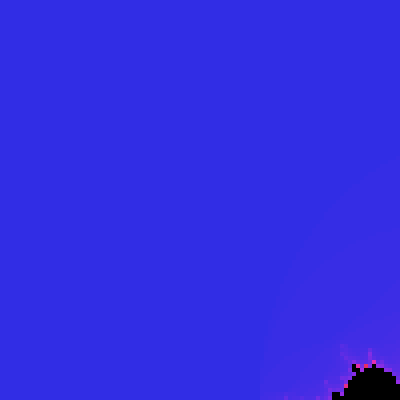
#Mandelbrot Set
The famous Mandelbrot set fractal - a stunning example of mathematical beauty rendered as an image.
A procedural image is a point→colour function wrapped with Image::of_fn (a Raster primitive in the AST), then sampled to SVG.
///|
test "mandelbrot set" (it : @test.Test) {
  // Mandelbrot set parameters
  let max_iter = 100
  let width = 400.0
  let height = 400.0

  // Create Mandelbrot set as a procedural image
  let mandelbrot = @vg.Image::of_fn(fn(p : @vg.Point) -> @color.Color {
    // Map pixel coordinates to complex plane [-2.5, 1] x [-1.5, 1.5]
    let x0 = p.x / width * 3.5 - 2.5
    let y0 = p.y / height * 3.0 - 1.5
    let mut x = 0.0
    let mut y = 0.0
    let mut iteration = 0
    while x * x + y * y <= 4.0 && iteration < max_iter {
      let xtemp = x * x - y * y + x0
      y = 2.0 * x * y + y0
      x = xtemp
      iteration = iteration + 1
    }
    if iteration == max_iter {
      @color.black()
    } else {
      // Color based on iteration count - creates beautiful bands
      let t = iteration.to_double() / max_iter.to_double()
      let hue = 240.0 + t * 120.0 // Blue to purple gradient
      @color.hsv(hue, 0.8, 0.9)
    }
  })

  // Render to SVG by sampling
  let svg = mandelbrot.render_image_to_svg(width, height, 100)
  it.write(svg)
  it.snapshot(filename="mandelbrot.svg")
}
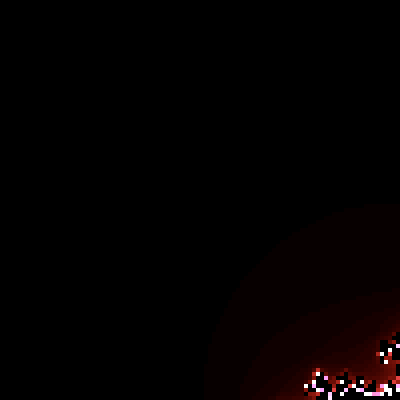
#Julia Set
A related fractal with equally mesmerizing patterns.
///|
test "julia set" (it : @test.Test) {
  let max_iter = 100
  let width = 400.0
  let height = 400.0

  // Julia set constant - different values create different patterns
  // Try: (-0.7, 0.27015), (0.355, 0.355), (-0.8, 0.156)
  let cx = -0.7
  let cy = 0.27015
  let julia = @vg.Image::of_fn(fn(p : @vg.Point) -> @color.Color {
    let mut x = p.x / width * 4.0 - 2.0
    let mut y = p.y / height * 4.0 - 2.0
    let mut iteration = 0
    while x * x + y * y <= 4.0 && iteration < max_iter {
      let xtemp = x * x - y * y + cx
      y = 2.0 * x * y + cy
      x = xtemp
      iteration = iteration + 1
    }
    if iteration == max_iter {
      @color.black()
    } else {
      let t = iteration.to_double() / max_iter.to_double()
      // Fire-like color palette
      let t_clamped_r = if t * 3.0 > 1.0 { 1.0 } else { t * 3.0 }
      let t_clamped_g = if t * t * 3.0 > 1.0 { 1.0 } else { t * t * 3.0 }
      let t_clamped_b = if t * t * t * 10.0 > 1.0 {
        1.0
      } else {
        t * t * t * 10.0
      }
      @color.rgba(t_clamped_r, t_clamped_g, t_clamped_b, 1.0)
    }
  })
  let svg = julia.render_image_to_svg(width, height, 100)
  it.write(svg)
  it.snapshot(filename="julia.svg")
}
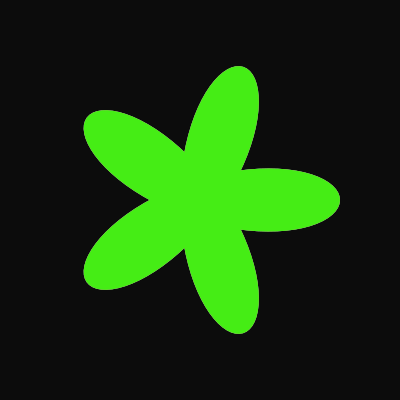
#Spirograph Pattern
Beautiful mathematical curves inspired by the classic toy.
///|
test "spirograph" (it : @test.Test) {
  let width = 400.0
  let height = 400.0
  let cx = width / 2.0
  let cy = height / 2.0

  // Spirograph parameters
  let r1 = 100.0 // Outer radius
  let r2 = 40.0 // Inner radius
  let d = 80.0 // Drawing point distance
  let mut doc = @svg.new_svg(width, height).render_rectangle(
    0.0,
    0.0,
    width,
    height,
    @color.gray(0.05),
  )

  // Draw spirograph with multiple colored layers
  let colors = [
    @color.cyan(),
    @color.magenta(),
    @color.yellow(),
    @color.green(),
  ]
  for layer = 0; layer < 4; layer = layer + 1 {
    let offset = layer.to_double() * 0.5
    let color = colors[layer]
    let mut path = @vg.Path::empty()
    let steps = 1000
    for i = 0; i <= steps; i = i + 1 {
      let t = i.to_double() / steps.to_double() * 20.0 * 3.14159 + offset
      let x_raw = cx +
        (r1 - r2) * @math.cos(t) +
        d * @math.cos((r1 - r2) / r2 * t)
      let y_raw = cy +
        (r1 - r2) * @math.sin(t) -
        d * @math.sin((r1 - r2) / r2 * t)
      let x = (x_raw * 1000000.0).round() / 1000000.0
      let y = (y_raw * 1000000.0).round() / 1000000.0
      if i == 0 {
        path = path.move_to(Point(x, y))
      } else {
        path = path.line_to(Point(x, y))
      }
    }

    // Render as stroked path (simulated with thin fill)
    doc = doc.render_path(path, @color.rgba(color.r, color.g, color.b, 0.7))
  }
  it.write(doc.to_string())
  it.snapshot(filename="spirograph.svg")
}
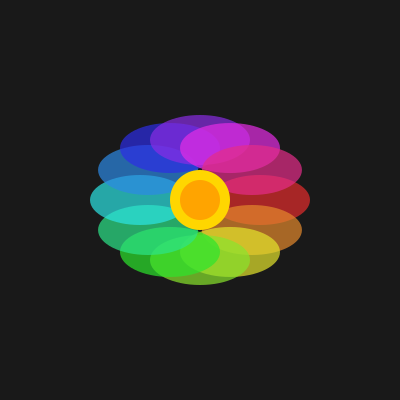
#Rainbow Flower
A colorful flower pattern using polar coordinates.
///|
test "rainbow flower" (it : @test.Test) {
  let width = 400.0
  let height = 400.0
  let cx = width / 2.0
  let cy = height / 2.0
  let mut doc = @svg.new_svg(width, height).render_rectangle(
    0.0,
    0.0,
    width,
    height,
    @color.gray(0.1),
  )

  // Draw petals
  let num_petals = 12
  for i = 0; i < num_petals; i = i + 1 {
    let angle = i.to_double() / num_petals.to_double() * 2.0 * 3.14159
    let hue = i.to_double() / num_petals.to_double() * 360.0
    let color = @color.hsv(hue, 0.8, 0.9)

    // Create petal shape using ellipse
    let petal_cx_raw = cx + 60.0 * @math.cos(angle)
    let petal_cy_raw = cy + 60.0 * @math.sin(angle)
    let petal_cx = (petal_cx_raw * 1000000.0).round() / 1000000.0
    let petal_cy = (petal_cy_raw * 1000000.0).round() / 1000000.0
    doc = doc.render_ellipse(
      Point(petal_cx, petal_cy),
      50.0,
      25.0,
      @color.rgba(color.r, color.g, color.b, 0.7),
    )
  }

  // Center circle
  doc = doc.render_circle(Point(cx, cy), 30.0, @color.gold())
  doc = doc.render_circle(Point(cx, cy), 20.0, @color.orange())
  it.write(doc.to_string())
  it.snapshot(filename="rainbow_flower.svg")
}
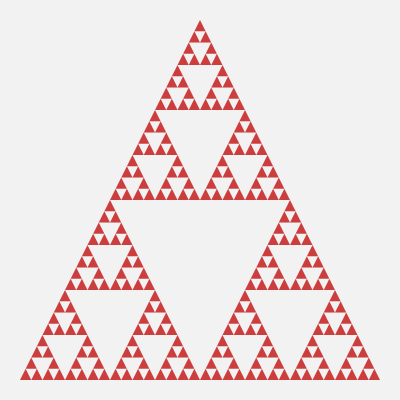
#Sierpinski Triangle
A classic fractal demonstrating recursive self-similarity.
///|
test "sierpinski triangle" (it : @test.Test) {
  let width = 400.0
  let height = 400.0
  let mut doc = @svg.new_svg(width, height).render_rectangle(
    0.0,
    0.0,
    width,
    height,
    @color.gray(0.95),
  )

  // Recursive function to draw Sierpinski triangle
  fn draw_triangle(
    doc : @svg.SvgDocument,
    x1 : Double,
    y1 : Double,
    x2 : Double,
    y2 : Double,
    x3 : Double,
    y3 : Double,
    depth : Int,
  ) -> @svg.SvgDocument {
    if depth == 0 {
      doc.render_polygon(
        [Point(x1, y1), Point(x2, y2), Point(x3, y3)],
        @color.hsv(depth.to_double() * 60.0, 0.7, 0.8),
      )
    } else {
      // Calculate midpoints
      let mx1 = (x1 + x2) / 2.0
      let my1 = (y1 + y2) / 2.0
      let mx2 = (x2 + x3) / 2.0
      let my2 = (y2 + y3) / 2.0
      let mx3 = (x3 + x1) / 2.0
      let my3 = (y3 + y1) / 2.0

      // Recursively draw three smaller triangles
      let d1 = draw_triangle(doc, x1, y1, mx1, my1, mx3, my3, depth - 1)
      let d2 = draw_triangle(d1, mx1, my1, x2, y2, mx2, my2, depth - 1)
      draw_triangle(d2, mx3, my3, mx2, my2, x3, y3, depth - 1)
    }
  }

  // Draw with 5 levels of recursion
  let margin = 20.0
  doc = draw_triangle(
    doc,
    width / 2.0,
    margin,
    margin,
    height - margin,
    width - margin,
    height - margin,
    5,
  )
  it.write(doc.to_string())
  it.snapshot(filename="sierpinski.svg")
}
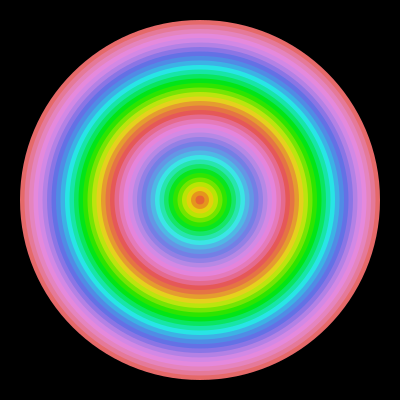
#Concentric Waves
Hypnotic concentric circles with color gradients.
///|
test "concentric waves" (it : @test.Test) {
  let width = 400.0
  let height = 400.0
  let cx = width / 2.0
  let cy = height / 2.0
  let mut doc = @svg.new_svg(width, height).render_rectangle(
    0.0,
    0.0,
    width,
    height,
    @color.black(),
  )

  // Draw concentric circles with rainbow colors
  let num_rings = 40
  for i = num_rings; i >= 0; i = i - 1 {
    let radius = i.to_double() / num_rings.to_double() * 180.0
    let hue = i.to_double() / num_rings.to_double() * 360.0 * 2.0 // Two full color cycles
    let saturation = 0.7 + 0.3 * @math.sin(i.to_double() * 0.3)
    let color = @color.hsv(hue % 360.0, saturation, 0.9)
    doc = doc.render_circle(Point(cx, cy), radius, color)
  }
  it.write(doc.to_string())
  it.snapshot(filename="concentric_waves.svg")
}
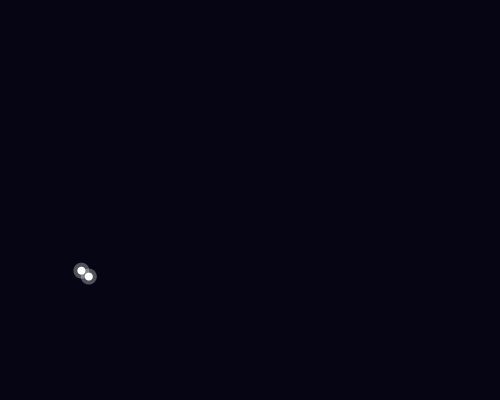
#Starfield
A procedural starfield with twinkling stars.
///|
test "starfield" (it : @test.Test) {
  let width = 500.0
  let height = 400.0
  let mut doc = @svg.new_svg(width, height).render_rectangle(
    0.0,
    0.0,
    width,
    height,
    @color.rgb(0.02, 0.02, 0.08),
  )

  // Simple pseudo-random number generator
  fn pseudo_random(seed : Int) -> Double {
    let x = seed * 1103515245 + 12345
    (x / 65536 % 32768).to_double() / 32768.0
  }

  // Draw stars
  let num_stars = 200
  for i = 0; i < num_stars; i = i + 1 {
    let x = pseudo_random(i * 3) * width
    let y = pseudo_random(i * 3 + 1) * height
    let size = pseudo_random(i * 3 + 2) * 2.5 + 0.5
    let brightness = pseudo_random(i * 5) * 0.5 + 0.5

    // Star color varies from white to blue-ish
    let bright_b = if brightness + 0.2 > 1.0 { 1.0 } else { brightness + 0.2 }
    let color = @color.rgba(brightness, brightness, bright_b, brightness)
    doc = doc.render_circle(Point(x, y), size, color)
  }

  // Add a few larger "bright" stars
  for i = 0; i < 10; i = i + 1 {
    let x = pseudo_random(i * 7 + 100) * width
    let y = pseudo_random(i * 7 + 101) * height
    doc = doc.render_circle(Point(x, y), 4.0, @color.white())
    doc = doc.render_circle(Point(x, y), 8.0, @color.rgba(1.0, 1.0, 1.0, 0.3))
  }
  it.write(doc.to_string())
  it.snapshot(filename="starfield.svg")
}
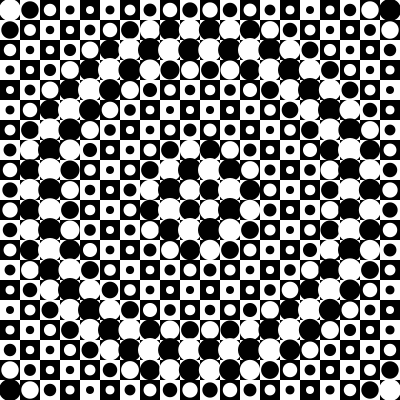
#Op Art Pattern
An optical illusion pattern inspired by Victor Vasarely.
///|
test "op art pattern" (it : @test.Test) {
  let width = 400.0
  let height = 400.0
  let cell_size = 20.0
  let mut doc = @svg.new_svg(width, height)
  let cols = (width / cell_size).to_int()
  let rows = (height / cell_size).to_int()
  for row = 0; row < rows; row = row + 1 {
    for col = 0; col < cols; col = col + 1 {
      let x = col.to_double() * cell_size
      let y = row.to_double() * cell_size

      // Calculate distance from center for warping effect
      let dx = x + cell_size / 2.0 - width / 2.0
      let dy = y + cell_size / 2.0 - height / 2.0
      let dist = (dx * dx + dy * dy).sqrt()

      // Checkerboard with warped circles
      let checker = (row + col) % 2 == 0
      let base_color = if checker { @color.black() } else { @color.white() }
      doc = doc.render_rectangle(x, y, cell_size, cell_size, base_color)

      // Add circle with size based on distance from center
      let circle_size = cell_size * 0.4 * (1.0 + 0.5 * @math.sin(dist * 0.05))
      let circle_color = if checker { @color.white() } else { @color.black() }
      doc = doc.render_circle(
        Point(x + cell_size / 2.0, y + cell_size / 2.0),
        circle_size,
        circle_color,
      )
    }
  }
  it.write(doc.to_string())
  it.snapshot(filename="op_art.svg")
}
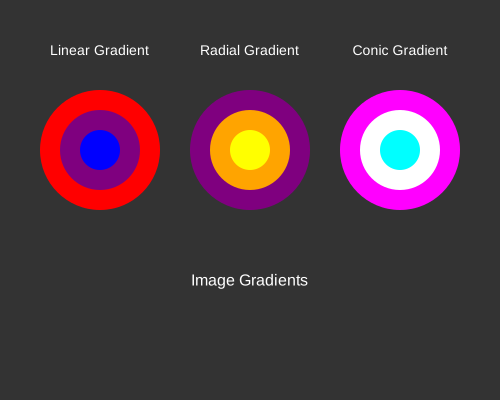
#Gradient Gallery
Showcase of different gradient types.
///|
test "gradient gallery" (it : @test.Test) {
  let width = 500.0
  let height = 400.0
  let mut doc = @svg.new_svg(width, height).render_rectangle(
    0.0,
    0.0,
    width,
    height,
    @color.gray(0.2),
  )

  // Linear gradient circle
  let linear_grad = @vg.Image::linear_gradient(
    @color.red(),
    @color.blue(),
    Point(-40.0, 0.0),
    Point(40.0, 0.0),
  )

  // Radial gradient
  let radial_grad = @vg.Image::radial_gradient(
    @color.yellow(),
    @color.purple(),
    Point(0.0, 0.0),
    50.0,
  )

  // (conic gradient demo deferred to C6 / Raster)

  // Render gradient samples as rectangles
  doc = doc.render_text(
    "Linear Gradient",
    Point(100.0, 50.0),
    14.0,
    @color.white(),
  )
  doc = doc.render_text(
    "Radial Gradient",
    Point(250.0, 50.0),
    14.0,
    @color.white(),
  )
  doc = doc.render_text(
    "Conic Gradient",
    Point(400.0, 50.0),
    14.0,
    @color.white(),
  )

  // Add SVG gradient definitions and shapes
  doc = doc
    .render_linear_gradient(
      "grad1",
      Point(0.0, 0.0),
      Point(100.0, 0.0),
      @color.red(),
      @color.blue(),
    )
    .render_linear_gradient(
      "grad2",
      Point(50.0, 0.0),
      Point(50.0, 100.0),
      @color.yellow(),
      @color.purple(),
    )
    .render_linear_gradient(
      "grad3",
      Point(0.0, 0.0),
      Point(100.0, 100.0),
      @color.cyan(),
      @color.magenta(),
    )

  // Draw circles with solid colors representing gradients
  doc = doc.render_circle(Point(100.0, 150.0), 60.0, @color.red())
  doc = doc.render_circle(Point(100.0, 150.0), 40.0, @color.purple())
  doc = doc.render_circle(Point(100.0, 150.0), 20.0, @color.blue())
  doc = doc.render_circle(Point(250.0, 150.0), 60.0, @color.purple())
  doc = doc.render_circle(Point(250.0, 150.0), 40.0, @color.orange())
  doc = doc.render_circle(Point(250.0, 150.0), 20.0, @color.yellow())
  doc = doc.render_circle(Point(400.0, 150.0), 60.0, @color.magenta())
  doc = doc.render_circle(Point(400.0, 150.0), 40.0, @color.white())
  doc = doc.render_circle(Point(400.0, 150.0), 20.0, @color.cyan())

  // Display gradient types as image samples
  let _grad_svg1 = linear_grad.render_image_to_svg(80.0, 80.0, 20)
  let _grad_svg2 = radial_grad.render_image_to_svg(80.0, 80.0, 20)

  // Labels for bottom row
  doc = doc.render_text(
    "Image Gradients",
    Point(250.0, 280.0),
    16.0,
    @color.white(),
  )
  it.write(doc.to_string())
  it.snapshot(filename="gradient_gallery.svg")
}
#Status
✅ Complete and Production-Ready: The library has achieved 100% feature parity with the original OCaml Vg library, featuring:
- Full API Modernization: Complete migration to object-oriented fluent APIs
- Multiple Rendering Backends: SVG, PDF, and Canvas support with consistent APIs
- Modern MoonBit Syntax: String interpolation and contemporary language idioms
- Comprehensive Testing: Extensive test coverage with snapshot validation
- Zero Compiler Warnings: Clean, maintainable codebase following best practices
The library successfully compiles and runs across all target platforms, demonstrating robust implementation of declarative 2D vector graphics for the MoonBit ecosystem.
#License
ISC License (same as original Vg library)
#Credits
Original Vg library by Daniel Bünzli: https://github.com/dbuenzli/vg
MoonBit port with extensive tests and examples.
Path
A path is a sequence of segments. pub(all) so downstream packages can build
a segment array in one pass instead of through the copying builders.
Area
How a path delimits an area when cutting an image: a non-zero or even-odd
fill of its interior, or a stroke of its outline with the given width.
Blender
DrawCmd
Image
An image is a declarative value. Its denotation is a function from points
of the plane to colours (see Image::eval), but it is represented as a
tree so that backends can render it as native, compact vector graphics.
Mirrors Vg.image.
Image::axial_gradient
Image::blend
Blend self (the top layer) with bottom using an explicit operator and an
optional top alpha.
Image::checkerboard
A checkerboard of two colours with the given cell size.
Image::compose
Compose other over self (the receiver is the base layer), so
base.compose(overlay) paints the overlay on top.
Image::conic_gradient
An angular (conic) gradient around center, starting at start_angle.
Image::const_color
A constant colour filling the whole plane.
Image::cut
Clip self to the inside of path (default non-zero winding). Outside the
path the result is transparent.
Image::eval
The colour of image self at point pt.
Image::line
A straight line segment stroked with the given thickness (round caps). A
zero-length segment renders as a dot.
Image::linear_gradient
Image::of_fn
An image from an arbitrary point -> colour function.
Image::radial_gradient
Image::render_image_to_svg
Sample the image on a grid and emit one SVG rect per opaque cell. This is the
raster fallback (eval-based); vector backends render the AST directly and
produce far smaller output.
Image::text
A text label anchored at the origin (centre-aligned). Position it with
transforms. Text is draw-only: eval is transparent for it, but the
SVG/PDF/canvas backends render it.
Image::tile
Tile self into tile_width x tile_height cells.
Image::to_draw_list
Fold the image into a backend-neutral draw list for a width x height
canvas (image origin at the centre).
Image::to_js
Render the image to Canvas-drawing JavaScript for the given size.
Image::to_pdf
Render the image to a single-page PDF document of the given size.
Image::to_svg
Render the image to a standalone SVG document of the given size.
Paint
Primitive
A primitive is an infinite colour field. Concrete shapes are obtained by
cutting a primitive with a path (see Cut). Mirrors Vg's primitive.
Stop
Install
Download zipDeclarative 2D vector graphics library for MoonBit
graphicsvector2dsvgcanvas

 ISC
ISC
 Updated 2 days ago
 2K downloads