 README
- TBasicColor
- ::clearCanvas::clear
- ::newCanvas::new
- ::renderCanvas::render
- ::setCanvas::set
- ::set_styleCanvas::set_style
- ::set_textCanvas::set_text
- ::stroke_lineCanvas::stroke_line
- ::unsetCanvas::unset
- TCell
- TColor
- TRenderOptions
- TStyle
- Vclamp_rgb
- Vdefault_render_options
- Vdefault_style
- Vrgb
- Vwith_fg
- Vwithout_ansi
drawille
MoonBit port of drawille for terminal graphics with Unicode Braille characters
terminal
braille
graphics
ansi
color
Author
Version
0.1.1
License
MIT
Repository
Last updated
7 months ago
Downloads
358
#Moon Drawille
Terminal graphics library using Unicode Braille characters for MoonBit.
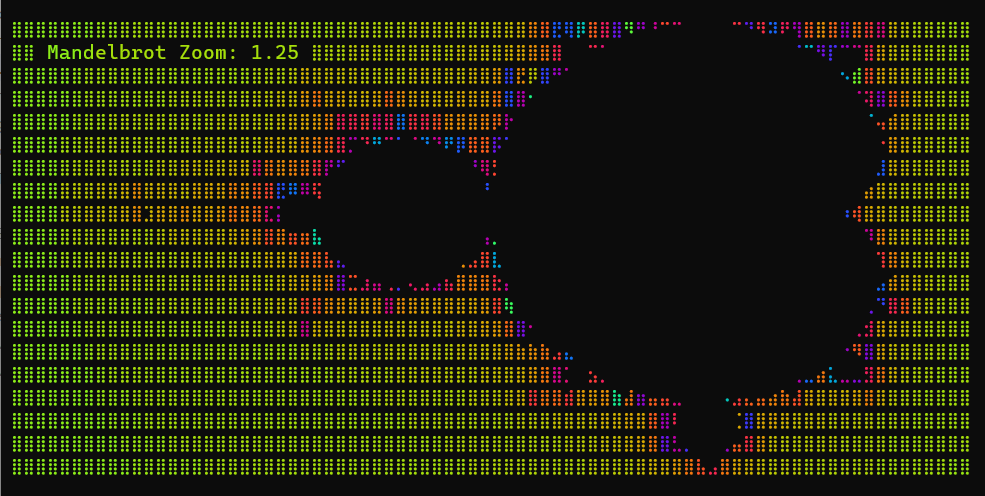
#Overview
cg-zhou/drawille is a high-performance terminal graphics library for MoonBit, inspired by the concept of Unicode Braille-based rendering. It provides a logical canvas that allows you to draw high-density graphics in traditional text-based terminals by leveraging the 2x4 dot grid available in Braille characters.
This is a clean-room implementation in MoonBit, designed to be lightweight, efficient, and easy to integrate into other MoonBit projects.
#Features
- High-density graphics: 8 pixels per terminal character.
- ANSI Color Support: 16-color ANSI and TrueColor (RGB) support.
- Text Overlay: Mix text and graphics on the same canvas seamlessly.
- Pure MoonBit: No external dependencies other than the standard library.
#API Documentation
The library provides a high-level Canvas interface:
- Canvas::new() - Create a new canvas.
- Canvas::set(x: Int, y: Int) - Draw a pixel.
- Canvas::unset(x: Int, y: Int) - Erase a pixel.
- Canvas::stroke_line(x1: Int, y1: Int, x2: Int, y2: Int) - Draw a line.
- Canvas::set_text(x: Int, y: Int, text: String, style? : Style) - Draw text with optional styling.
- Canvas::render(options? : RenderOptions) - Render canvas to a string for terminal display.
#License
MIT
BasicColor
Basic ANSI color names used by the public color model.
Canvas
Logical pixel and text surface.
Use a Map to store cell content. Each key is (cell_x, cell_y).
Each cell contains a bitmask for braille, optional text, and optional style.
Canvas::render
Render the current canvas into a terminal string.
Canvas::set_style
Apply a style to content located at a logical position.
Canvas::set_text
Write text at a logical position with optional style.
Canvas::stroke_line
Draw a styled line segment on the canvas.
Use Bresenham's algorithm for drawing lines.
Color
Public color abstraction for terminal styling.
RenderOptions
Rendering controls for terminal output.
Style
Style metadata attached to text or braille content.
clamp_rgb
fn clamp_rgb(channel : Int) -> IntClamp an RGB channel to the inclusive range [0, 255].
default_render_options
Default rendering options for ANSI-capable terminal output.
default_style
Default style with terminal default foreground/background and all flags off.
rgb
Construct a truecolor value after clamping each channel.
with_fg
Return a copy of a style with a different foreground color.
without_ansi
Return rendering options with ANSI output disabled.
Source Files
Install
Download zipMoonBit port of drawille for terminal graphics with Unicode Braille characters
terminalbraillegraphicsansicolor

 MIT
MIT
 Updated 7 months ago
 358 downloads